
Download Fireplace – Free Mac Log Fire Simulator, Low‑CPU, Beautiful Screensaver
Overview
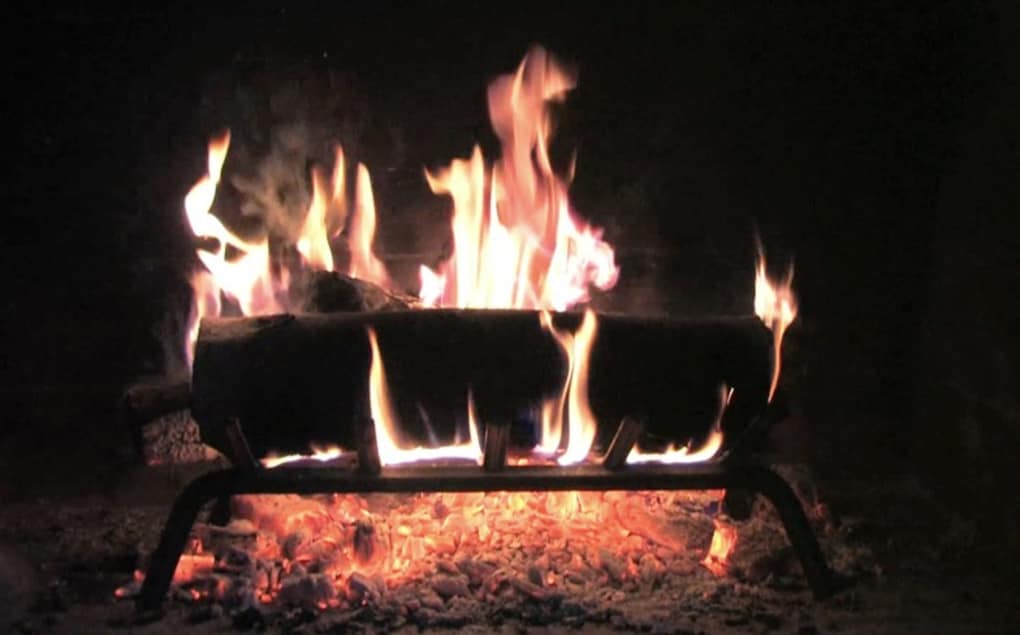
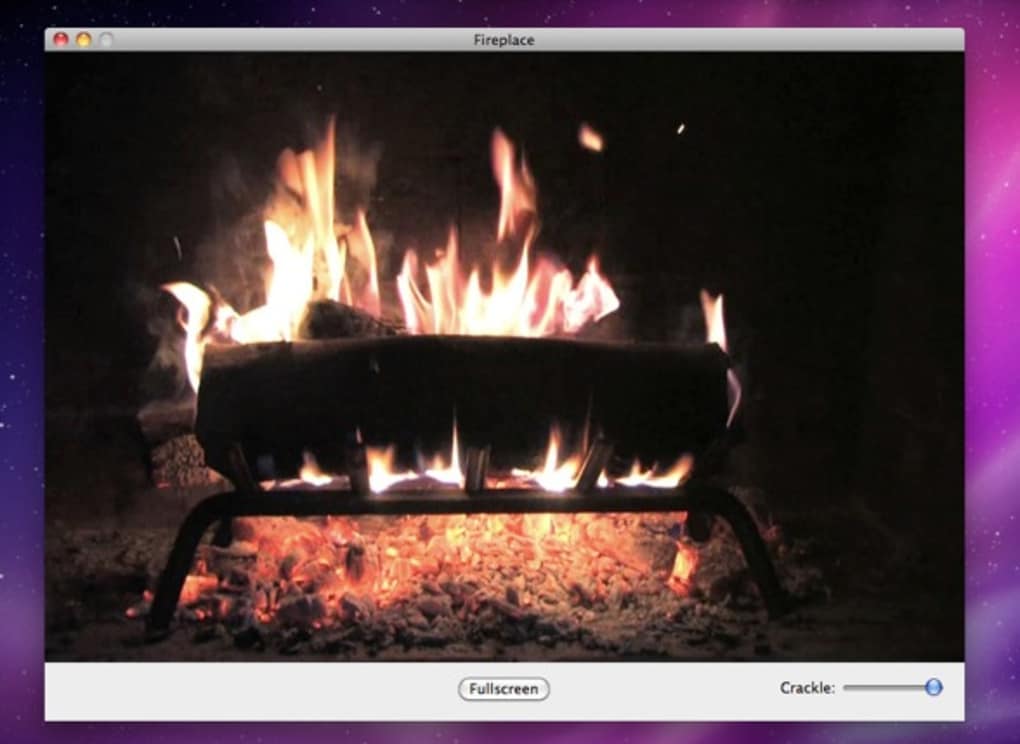
Fireplace is a sleek, low‑resource log‑fire simulator designed exclusively for macOS. If you’ve ever wished you could enjoy the gentle crackle and warm glow of a real fireplace without the mess of ash, soot, or heat, this app delivers the experience directly to your screen. The program fills the entire display with a high‑definition video of a roaring fire, complete with realistic ember movement and a subtle sound‑track that can be muted or adjusted via a simple slider.
Its minimalist interface means you can leave it running while you work, study, or relax, and even dedicate a secondary monitor to a continuously burning flame while the primary screen hosts your everyday tasks. Fireplace consumes far less CPU than traditional video loops, thanks to an optimized rendering engine that re‑uses the same video asset while still looking fresh. The app also sports a modern icon that blends seamlessly with the macOS aesthetic, and its installation footprint is tiny, making it an ideal addition for any Mac user who values both visual comfort and system performance.
Key Features and Benefits
- Ultra‑low CPU usage – runs smoothly even on older MacBooks.
- High‑definition 4K‑quality fire video that loops seamlessly.
- Adjustable crackle intensity via an on‑screen slider.
- Works as a full‑screen background or as a secondary‑monitor screensaver.
- Minimal disk footprint – less than 50 MB after installation.
- Native macOS integration with dark‑mode aware icon.
- Free to download, with optional in‑app purchases for premium sound packs.
Beyond the raw feature list, Fireplace brings a tangible sense of calm to any workspace. The soft, rhythmic flicker of the flames has been shown to lower stress levels and improve focus, making it an excellent companion for long coding sessions or creative brainstorming. Because the app does not require a constant internet connection, you can enjoy the ambiance offline, on flights, or in remote cabins where Wi‑Fi is limited. The adjustable crackle slider gives you control over the auditory experience – set it to “mute” for a purely visual treat, or turn it up to hear the comforting pops of burning wood. Whether you’re a designer seeking inspiration, a writer looking for a cozy backdrop, or simply someone who enjoys the aesthetic of a hearth, Fireplace offers a no‑maintenance, always‑on solution that blends effortlessly with macOS.
Installation, Usage & Compatibility
Step‑by‑Step Installation
Downloading and installing Fireplace is straightforward. First, visit the official website or the Mac App Store and click the “Download” button. The installer package (.dmg) is only 45 MB, ensuring a quick transfer even on slower connections. Open the .dmg, drag the Fireplace icon into your Applications folder, and launch the app. macOS may prompt you to confirm that you trust the developer – simply click “Open” to proceed. The first launch will present a brief permission request to allow the app to display full‑screen content; grant this permission for the best experience.
How to Use Fireplace
Upon opening, the main window offers three core controls: a “Start Fire” button, a crackle‑intensity slider, and a sound toggle. Click “Start Fire” to fill the screen with the animated flame. If you have a dual‑monitor setup, select which display should host the fire from the dropdown menu in the preferences pane. The slider ranges from 0 (silent) to 10 (full crackle), letting you fine‑tune the auditory ambience without leaving the app. To pause or stop the simulation, simply press the “Stop” button or close the window; the app will continue running in the background, ready to resume with a single click.
System Requirements
Fireplace runs on macOS 10.14 (Mojave) and later, including macOS Ventura and macOS Sonoma. It is optimized for both Intel‑based Macs and Apple Silicon (M1, M2, and later) thanks to universal binary packaging. Minimum hardware specifications include 2 GB of RAM and a graphics processor capable of 720p video playback, though virtually any modern Mac will exceed these requirements with ease. The app respects macOS power‑management settings, automatically reducing frame rates when the laptop is on battery power to extend runtime.
Overall, the installation process takes less than five minutes, and the intuitive UI means you’ll be enjoying a soothing fire on your screen almost instantly. Because the program does not rely on external libraries or background services, you can uninstall it cleanly by dragging the application to the Trash – no residual files are left behind.
Pros, Cons, FAQ & Conclusion
Pros
- Very low CPU and memory usage – safe for long‑term use.
- Stunning 4K video quality that looks great on Retina displays.
- Simple, distraction‑free interface.
- Works on dual‑monitor setups for dedicated ambiance.
- Free download with optional premium sound packs.
Cons
- Only one adjustable parameter (crackle intensity) – limited customization.
- No built‑in timer or schedule feature.
- Sound options are basic unless you purchase extra packs.
Frequently Asked Questions
Does Fireplace work on macOS Big Sur?
Yes. The app is compatible with macOS 10.14 and newer, which includes Big Sur, Monterey, Ventura, and Sonoma.
Can I run Fireplace while other apps are open?
Absolutely. Fireplace runs as a background process and uses minimal resources, so you can work in Safari, Pages, or any other application without noticeable slowdown.
Is there a way to schedule the fire to start at a specific time?
The current version does not include a scheduler, but you can use macOS Automator or a third‑party app like Keyboard Maestro to launch Fireplace at a chosen time.
Will the app drain my battery on a MacBook?
Because Fireplace is optimized for low CPU usage, battery impact is minimal. On battery power, macOS automatically reduces the frame rate to preserve energy.
Can I use Fireplace on a non‑Retina external monitor?
Yes. The app detects the resolution of the selected display and scales the video accordingly, ensuring a smooth visual experience on any monitor.
Conclusion – Bring the Hearth to Your Desk
Fireplace offers a beautifully simple solution for anyone who craves the comforting glow of a fire without the hassle of wood, smoke, or cleanup. Its ultra‑low CPU footprint, high‑definition visuals, and easy‑to‑use controls make it a perfect addition to any Mac setup, whether you’re looking for a calming backdrop during work or a decorative element for a home office. While the feature set is intentionally minimal, this focus keeps the app lightweight and reliable, ensuring that the fire never flickers out due to system strain. If you value a serene workspace and enjoy the aesthetic of a crackling hearth, downloading Fireplace is a no‑brainer. Click the download button below, install the app in seconds, and let the timeless allure of a log fire enhance your daily routine – all for free.







